How to Write Your Name in Cursive Online
Learn how to write your name in cursive online, explore stylish lettering options, and discover ways to use cursive names in profiles and designs.
Cursive writing gives names a smooth and stylish appearance. You can use it for social media profiles, digital signatures, greeting cards, and personal designs. However, writing neat cursive letters by hand can take practice.
An online cursive font generator makes this process easier. You can enter your name, choose a cursive style, and copy the result in just a few steps. In this article, I will explain how to create your cursive name online and where you can use it.
Steps to Create a Cursive Name Online
You can create a cursive version of your name using Cursive Font Generator. It changes your regular text into different cursive styles that you can copy and use wherever you like.
Follow these simple steps to get started:
- Visit the official website of Cursive Font Generator.
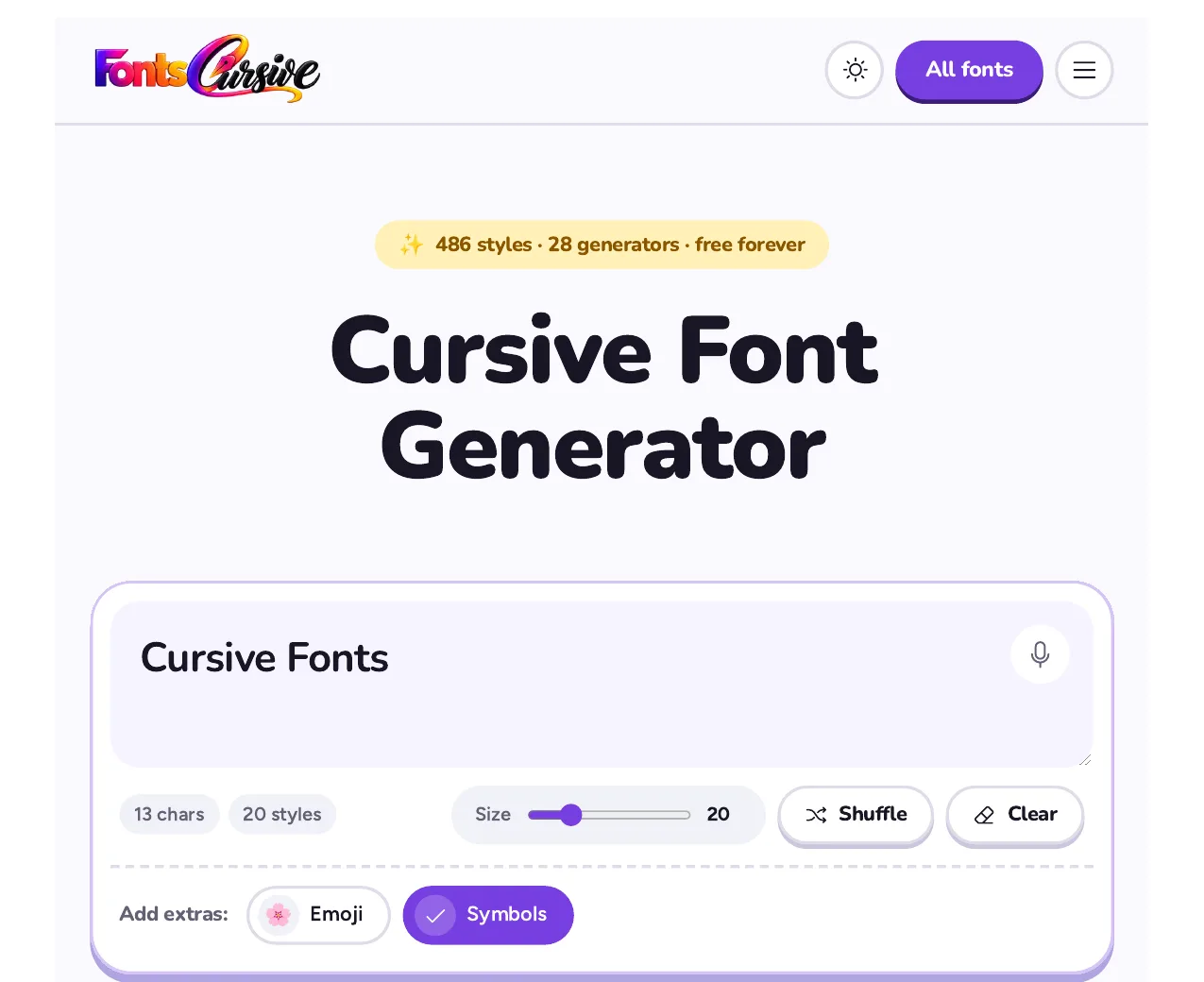
- Type your first name, full name, or nickname into the input box.
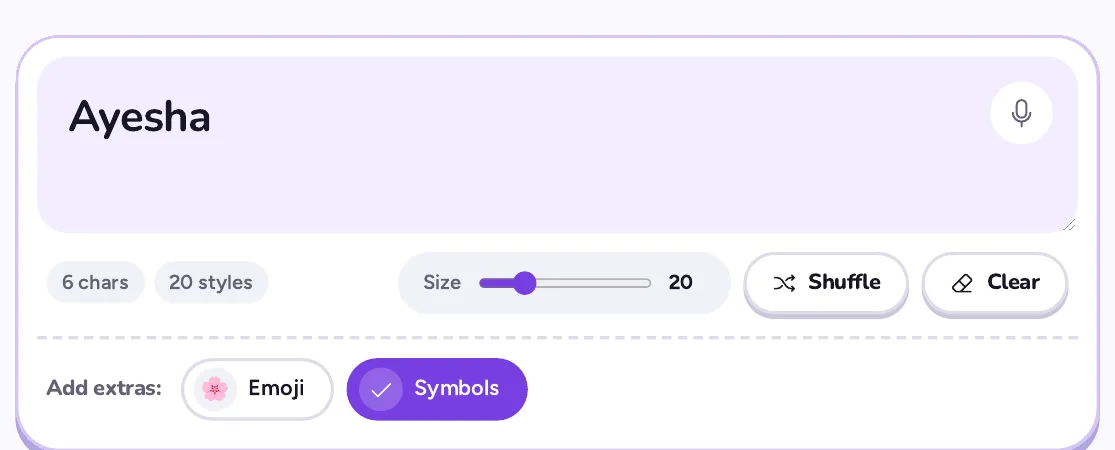
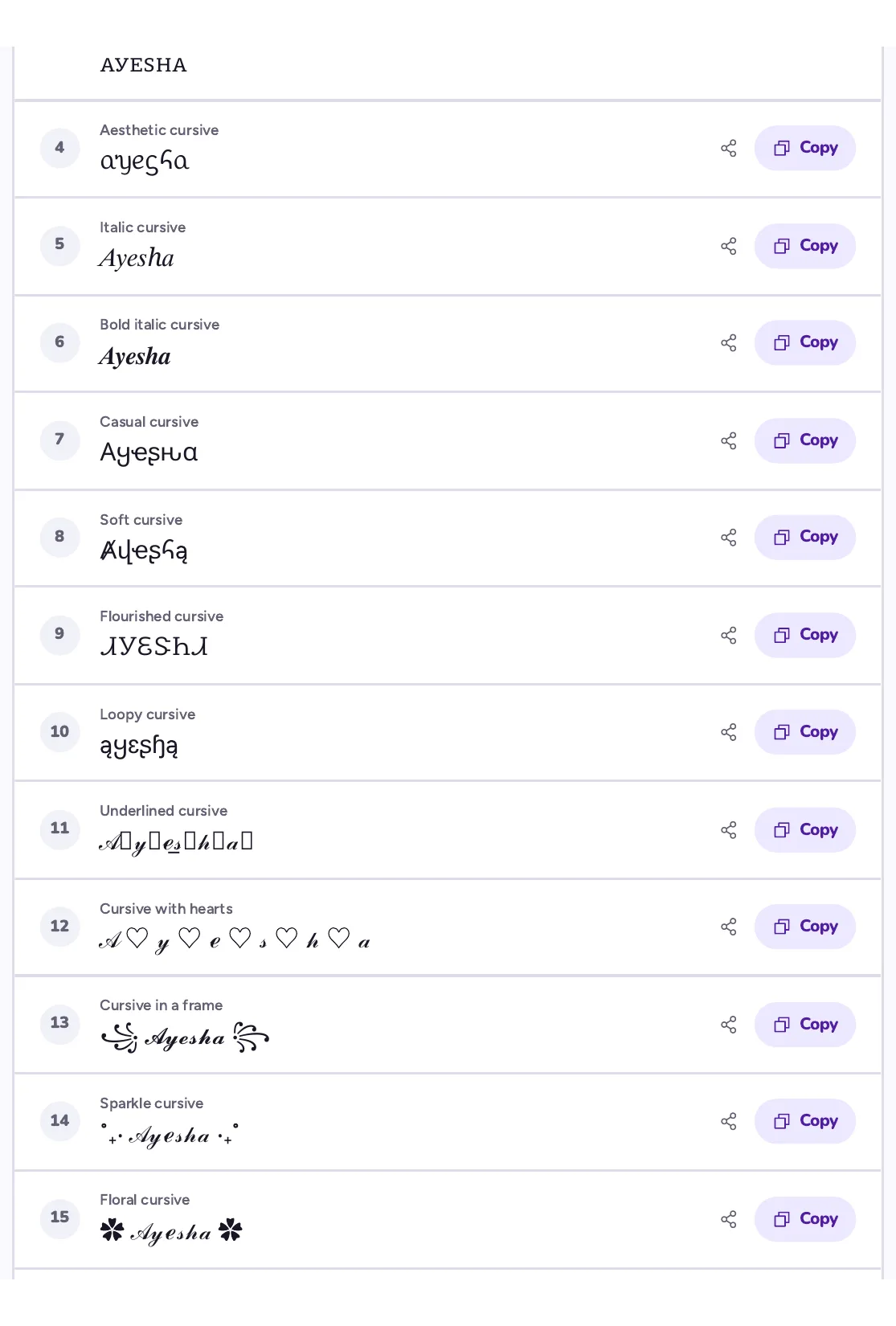
- Browse the available styles and select the one you like best.
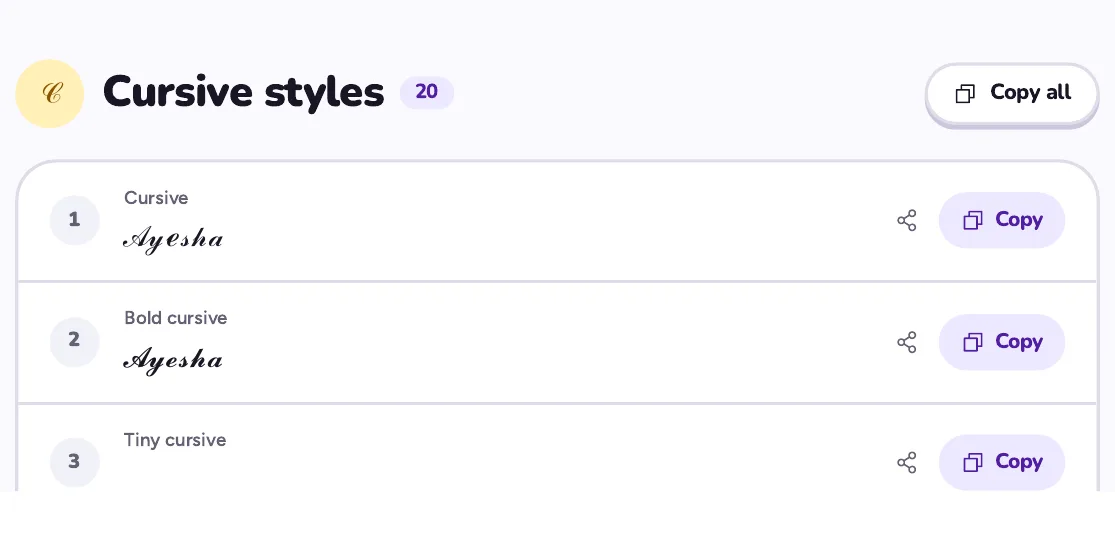
- Copy the generated text using the copy option or by selecting the text manually.

- Paste your cursive name into your social media bio, digital design, message, or other supported platform.
Benefits of Using a Cursive Name
Creates a Stylish Appearance
A cursive name has flowing letters and smooth curves that give it an elegant appearance. It can make your name look more distinctive than regular text.
This style is useful when you want your name to stand out on a profile, design, or personal project. If you want to give an elegant touch to your name, you can use Elegant Font Generator. This tool converts your regular name into elegant text styles that you can easily copy and use in your profiles or designs. This type of elegant name can also make your design or profile look attractive and different.
Adds a Personal Touch
Cursive writing can make your name feel more personal and expressive. You can choose a style that reflects your taste, from simple and neat lettering to more decorative designs. This helps you create a look that feels unique to you.
Makes Signatures Look More Distinctive
Cursive lettering is commonly associated with handwritten signatures because the letters flow together naturally.
Using a cursive style can help you explore different signature ideas and find a design that suits your name. However, a decorative cursive name is not automatically a valid signature for official documents.
Works Well for Creative Designs
A cursive name can add an elegant detail to greeting cards, invitations, posters, and digital artwork. Its flowing letters can complement different design themes, especially those that need a personal or decorative look.
You can also combine cursive lettering with other visual elements to create a balanced design.
Offers Different Ways to Express Yourself
Cursive styles vary in letter shapes, curves, and levels of decoration. A simple style can create a clean appearance, while a more elaborate one can feel artistic and expressive. Having these options allows you to present your name in a way that matches your personality and the purpose of the design.
Where to Use Cursive Name Online
Once you create your cursive name, you can use it in different places online. The best choice depends on the platform and the purpose of your text.
- Social Media Profiles: Add your cursive name to your Instagram bio, Facebook profile, or other social media pages to give them a personal touch.
- Digital Signatures: Use cursive lettering as a decorative signature in personal designs, digital cards, or documents where stylized text is suitable.
- Greeting Cards and Invitations: Add your name in cursive to online birthday cards, wedding invitations, and other special occasion designs.
- Gaming Usernames: Use cursive-style text in your gaming profile or display name if the game supports the characters.
- Messages and Captions: Add cursive text to social media captions, posts, or messages to make certain words stand out.
- Personal Artwork: Include your cursive name in digital drawings, banners, wallpapers, and other creative projects.
Keep in mind that not every platform supports all cursive characters. Some styles may appear as plain text or empty boxes on certain devices.
Tips for Using Cursive Name Online
A good cursive name should match your purpose and remain easy to read. Keep these tips in mind when choosing and using a cursive style.
- Choose a Readable Style: Pick cursive letters that are easy to recognize, especially if you are using your full name.
- Keep It Simple: Avoid styles with too many decorative symbols if they make your name difficult to read.
- Match the Purpose: Choose an elegant style for invitations, a simple design for profiles, or a distinctive look for creative projects.
- Check Compatibility: Paste your cursive name into the intended platform to see whether the characters display correctly.
- Keep a Regular Version: Save your name in plain text as well. Some websites, forms, and applications may not accept stylized Unicode characters.
- Use It Where Appropriate: Decorative cursive text works well for personal use, but standard text is often better for official forms and professional communication.
Choosing the right cursive style can help you make your name look more personal without making it difficult to understand.
Final Words
Writing your name in cursive online is a simple way to give it a stylish and personal appearance. A Cursive Font Generator lets you explore different styles, copy your favorite design, and use it across supported platforms.
You can add cursive lettering to social media profiles, digital artwork, and greeting cards. Choose a style that matches your needs, keeps your name readable, and adds a personal touch without making the design look too complicated.